


Local Obituary Search
3.424.00 Reviews
App Specs
- Version
- 12
- Updated On
- License
- Free
- Downloads
- 10,000+
- Developer
- Jey Apps
- Categories
- Events
- Platform
- Android
Screenshots
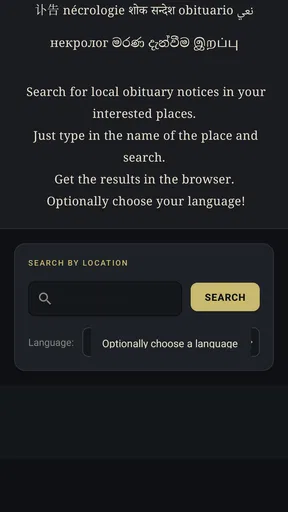
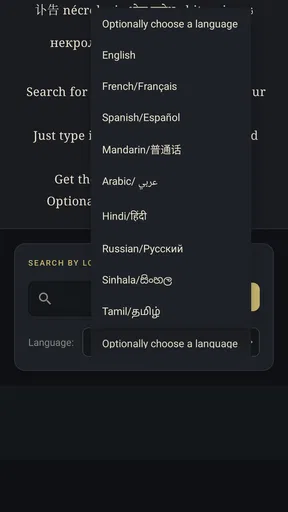
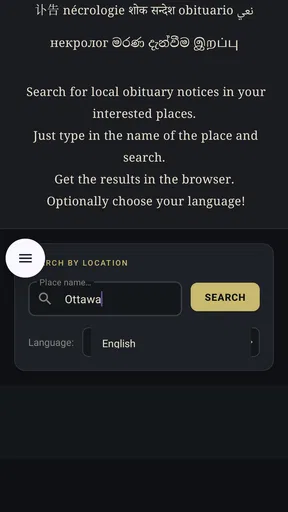
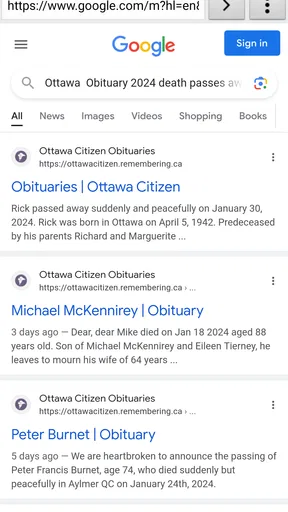
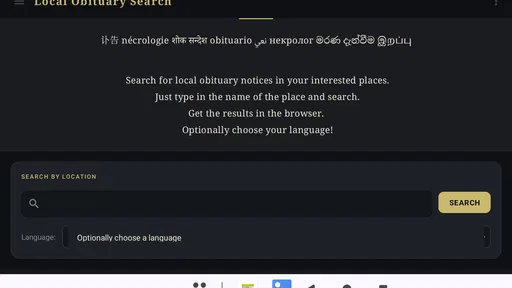
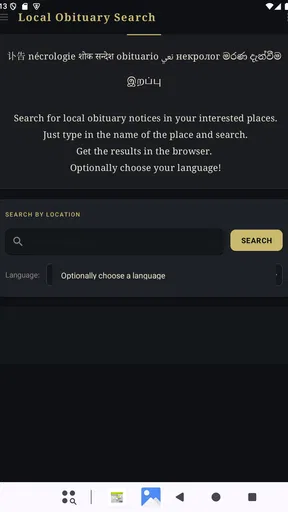
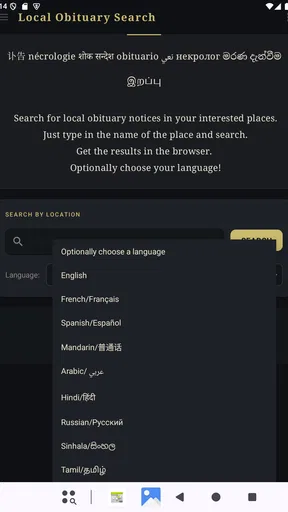
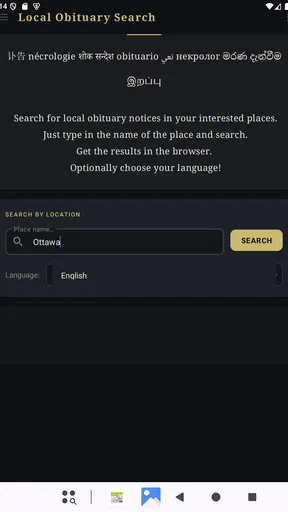
 Analysis by AppCompare
When someone has died, searching for an obituary is rarely a casual task. I may be trying to confirm a notice, find service information, or help a relative who remembers only a name and a town. Local Obituary Search is built for that narrow but important moment: it helps me look for local obituary notices from an Android device instead of beginning with a broad web search.
That focus is both its main strength and its main limitation. I would not install it as a general news reader or a permanent social app. I would consider it a practical search tool for people who regularly need local death notices, especially when speed and a simple starting point matter more than a large set of extra features.
Jey Apps is the developer behind this free Events app. It is suitable for Everyone, works on Android devices using version 7.0 or later, and the current release is version 12. The app has passed the early adoption stage with over ten thousand installs, although its average score sits at 3.4 from roughly seventy ratings, so I approach it with realistic expectations rather than assuming it will work perfectly for every town or every name.
How I decide whether a local obituary search app is worth using
I judge a local obituary search app by whether it helps me move from a name and a place to a trustworthy source without adding confusion. In this section, I focus on practical checks that make a search more useful, including how I handle incomplete details and decide when to switch approaches. That matters because a tool can be convenient at first yet still need a careful role in a lasting routine.
The first question is coverage, not appearance
For this kind of app, the most important test is whether it can help me locate the particular notice I need. A polished interface cannot compensate for missing local sources. Before relying on any result, I would check the spelling of the person’s name, try nearby communities, and compare the result with a funeral home, newspaper, or family announcement when accuracy matters.
This is especially important because obituary publishing is local by nature. One notice may appear through a funeral home, another through a newspaper, and another through a community organization. A search tool can reduce the time spent looking, but it should not be treated as an official record by itself. I see the app as a doorway to information, not as proof that a notice does or does not exist.
Search habits make a bigger difference than most people expect
My first search would use the person’s full name, but I would not stop there. Names can be abbreviated, misspelled, or shared by several people. Adding a town or region can reduce irrelevant results, while removing a middle name can help when a notice uses only initials. If the app’s results seem sparse, I would try a shorter name and then broaden the location rather than repeatedly submitting the same search.
Worth Reading Before You Choose

EA SPORTS FC Mobile 26 Is a Bigger Football Game, but It Takes Time

Flipboard Shows What News Apps Must Do Beyond the Feed

Switching to Android Auto Means Rethinking Your Driving Routine

Google Calendar Makes a Crowded Week Easier to Manage

Ludo King Makes the Most of the Minutes Between Plans

Baby Panda World Brings Quick Play to Modern Phones, but Its Game Library Feels Busy
A useful workflow is to write down the details I already know before opening the app: approximate age, last known town, a relative’s name, and a possible date range. I would then test one detail at a time. This makes it easier to recognize the correct person and prevents a broad search from becoming a confusing list of similar names.
Think about the purpose of the search
Someone looking for funeral arrangements has a different need from someone researching family history. For an immediate practical need, I want a quick route to a notice and its relevant details. For genealogy, I may need older records, archived newspapers, cemetery information, or documents that a local obituary search does not cover. The app makes more sense for the first situation than the second.
I would also consider who will use it. A person comfortable with ordinary phone searches may appreciate having a dedicated place to begin. Someone who rarely uses apps may find a direct browser search just as easy, particularly if a family member already knows the local funeral home or newspaper involved.
What the rating tells me
The 3.4 average from about seventy ratings suggests a mixed experience rather than universal satisfaction. I read that as a reason to test the app with a known local notice before depending on it for an urgent search. The rating is not a verdict on every search, but it does signal that coverage, results, or usability may vary between users and locations.
That moderate reception fits the nature of the service. Local information is uneven, and a search tool can feel excellent when it finds the right notice quickly but disappointing when a small community is not represented. I would judge it by how well it handles my area, not only by the store score.
Where Local Obituary Search is most useful
The clearest advantage is concentration. Instead of opening several unrelated pages and deciding which search terms to use, I can begin with an app dedicated to obituary notices. That matters when I am tired, upset, or helping someone else over the phone. A focused starting point removes some of the mental work from an already sensitive task.
I also like the idea of separating this search from general web results. Ordinary search engines often mix social posts, memorial pages, advertisements, old references, and unrelated people with the same name. A purpose-built app gives the task a clearer boundary. Even when I still need to verify the result elsewhere, I spend less time deciding where to begin.
The real strength is not replacing every source; it is shortening the first step. That distinction is important. If I treat the app as a first-pass locator, it can be helpful. If I expect it to contain every notice from every town, the experience is more likely to disappoint.
A realistic everyday situation
Imagine receiving a message from a former neighbor who has heard that someone from the neighborhood has died. The message includes a surname and a town but no link. I could search the open web, visit several funeral-home pages, and check local newspapers one by one. Instead, I would open Local Obituary Search, try the full name with the town, and then adjust the search if the first attempt is inconclusive.
If I find a likely notice, I would read it carefully rather than relying on the search result alone. I would confirm the person’s relatives, location, and service details, then share the original notice through the appropriate channel. If no result appears, I would not tell the neighbor that no obituary exists. I would move to local funeral-home websites, newspaper archives, or a direct call, because absence from one search route is not the same as absence from local records.
Small workflow improvements that save time
One practical habit is to keep a short record of searches that produced promising results. I might note the spelling used, the town entered, and the source associated with the notice. This is useful when I need to return later or explain the search to a relative. It also prevents me from losing a useful result after switching between apps.
Another is to search with the least assumption first. If I know only a name, I would begin there and inspect the location. If I know a town but the name is common, I would add the town immediately. If I know the funeral home, I would use that clue to verify the result through the organization’s own page. These steps are simple, but they reduce false matches better than repeating a single broad query.
A third insight is to separate discovery from verification. I use the app to discover a possible notice, then check the notice itself and, for important arrangements, confirm details with the responsible funeral home or family. This two-stage approach is safer than copying a date, address, or service time directly from a search preview.
Where a regular browser may be better
For a one-time search, a browser can be the more efficient choice. Search engines can reach funeral homes, newspaper sites, memorial pages, and public announcements in one place. They also make it easier to search a specific organization by name. If I already know the likely publisher, going straight to that publisher may be faster than using a general obituary app.
A browser is also preferable when I need to investigate context around a notice. I may want to compare several announcements, read a newspaper article, look for a cemetery record, or contact an organization. A dedicated search app is narrower, while the browser handles a wider research trail.
Where genealogy and memorial services fit better
People researching family history should look beyond this app’s central purpose. Genealogy services, library archives, cemetery databases, and historical newspaper collections are designed for older records and relationships across generations. A local obituary search can be a useful lead, but it is not the same as a complete family-history research system.
Likewise, someone creating a memorial page or managing funeral arrangements may need a service built for publishing, guest contributions, event details, or long-term remembrance. I would not choose this app as a replacement for those tools. Its value lies in finding local notices, not in managing the entire process surrounding a death.
Privacy and sensitivity in practical use
Obituary searches involve personal information, so I would be careful about sharing screenshots or forwarding details before checking that I have the correct person. A common name can lead to an honest mistake that causes real distress. I would also avoid treating search results as an invitation to post personal details publicly.
For family members who are not comfortable with technology, I would use the app alongside a conversation rather than handing over an unverified result. Reading the notice together can clarify whether it belongs to the right person and whether the service information is current enough to act on.
What switching to it feels like
The cost of trying the app is low because it is free, but the larger cost is learning when to trust its results and when to move on. I would not replace every bookmark, newspaper page, or funeral-home contact immediately. Instead, I would add it as an initial search option and compare the time and quality of results with my existing method.
That gradual approach is sensible because local coverage can differ. If the app consistently helps me find notices from the communities I care about, it earns a place in my routine. If it repeatedly sends me toward incomplete or irrelevant results, I can return to direct publisher searches without having disrupted my broader workflow.
The Android compatibility is also fairly welcoming: devices running version 7.0 or newer can use it. That makes it relevant for people with older phones, although I would still keep the operating system updated where possible for general security and reliability. The Everyone age classification makes it straightforward to consider for a family member, but the emotional subject matter still calls for thoughtful use.
What I would expect from the app’s maturity
With version 12 and a user base above ten thousand installs, I see this as an established small utility rather than an experimental download. At the same time, the modest rating and limited review volume make me cautious about assuming that every location is equally well served. I would test a few known names from my area before making it my only option.
That test should be realistic. I would choose one recent local notice, one older notice, and one common surname if I have access to those examples. I would observe whether the results are easy to distinguish and whether the search process remains useful when my information is incomplete. This gives me a better decision than simply opening the app once and judging its appearance.
Who should choose it
I would recommend Local Obituary Search to someone who wants a focused place to begin looking for local death notices and prefers an app over manually searching several sites. It is especially suitable for occasional family searches, community volunteers, people helping older relatives, and anyone who often needs to check whether a local notice has been published.
I would be more cautious recommending it to a professional researcher, genealogist, journalist, or funeral-service worker who needs broad archival coverage and dependable source verification. Those users will probably need direct access to publishers, archives, official organizations, and multiple databases. The app may still save a few minutes at the beginning, but it should not be their complete research system.
My recommendation after weighing the alternatives
My final view is positive but deliberately limited. This is a specialized, free Events app with a clear purpose, and that clarity is useful when I need a local obituary search without deciding which website to visit first. I appreciate it most as a starting point that reduces friction during an uncomfortable task.
I would install it if local notices are something I search for more than once, or if I regularly help relatives find community information. I would skip it if I only need one search and already know the relevant newspaper or funeral home, because a browser may take me directly to the source. In either case, I would verify important names, dates, locations, and service details before sharing or acting on them.
The balanced choice is to keep it alongside, not instead of, established local sources. Use the app to discover a possible notice, use the original publisher or organization to confirm it, and switch to archives or genealogy tools when the search reaches beyond recent local announcements. With that approach, its narrow focus becomes an advantage rather than an unrealistic promise.
For me, the 3.4 average means “try it for your area,” not “avoid it.” Its usefulness depends heavily on the communities represented in the results, but the free entry point makes that test reasonable. If it finds the notices I need and helps me reach the right source faster, it has done its job.
Pros
- Searches obituary notices from multiple local sources in one place.
- Simple interface makes finding recent notices quick and straightforward.
- Useful filters help narrow results by name
- date
- or location.
- Can support family research and memorial planning from a mobile device.
- Lightweight design typically works well on older smartphones.
Cons
- Coverage may vary widely depending on the selected city or region.
- Some obituary listings may be delayed or missing important details.
- Search results can include duplicate notices from different sources.
- Limited information may be available for less populated areas.
- External links may open in a browser with advertisements or paywalls.
FAQs for Local Obituary Search
What is Local Obituary Search and what can I use it for?
Local Obituary Search is designed to help users find obituary notices, memorial announcements, funeral information, and death records published by local newspapers, funeral homes, and community websites. After entering a person’s name, location, or date range, you can review available results and open the original notice for additional details, such as service arrangements, surviving family members, condolences, or donation requests.
How do I search for a specific obituary in the app?
To search effectively, enter as much accurate information as possible, including the person’s full name, city, state, or approximate date of death. Broad searches may produce many unrelated results, while adding a location or date range can narrow the list considerably. If no result appears, try alternate spellings, a shortened name, or searching nearby communities where the obituary may have been published.
Does Local Obituary Search include every obituary or death notice?
No search service can guarantee complete coverage of every obituary. Results depend on whether newspapers, funeral homes, cemeteries, or other publishers make their notices available online and whether those sources are indexed. Some notices may be private, removed, archived behind a publisher’s website, or available only in print. Treat the app as a useful discovery tool rather than a complete official record database.
Is Local Obituary Search free to download and use?
The availability of free features, advertising, subscriptions, or charges can vary depending on the version of Local Obituary Search and the platform where it is downloaded. Basic searches may be available without payment, while certain records, publisher pages, or advanced tools could require a fee or external subscription. Before confirming any purchase, review the app’s pricing, in-app purchase details, and renewal terms.
Can I trust the information found through Local Obituary Search?
The app generally directs users to obituary information supplied by external publishers, so accuracy depends on the original newspaper, funeral home, or website. Details can contain spelling errors, outdated service information, or incomplete family records. For legal, genealogical, or funeral-related decisions, verify important facts with the original publisher, the funeral home, public records office, or a member of the family.


